Last updated
Change history and undo
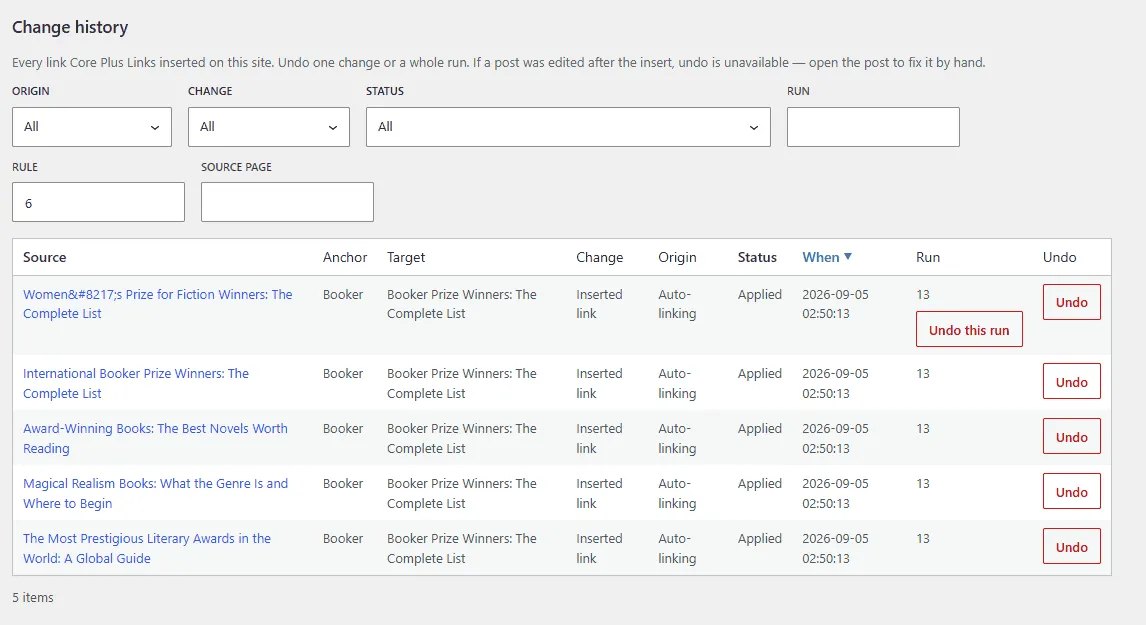
Change history is the audit trail for every link Core Plus Links has inserted on the site. Open Change history from the Core Plus Links admin.
What is recorded
Each row is one change the plugin wrote: the source page, the anchor, the target, the kind of change (inserted link, and other types if they appear), the origin (Auto-linking or another change), the status, when it was applied, and which run it belonged to.
Nothing is sent off the site. The ledger lives in your WordPress database.
Filter and sort
Filter by Origin, Change, Status, Run, Rule, and Source page. Sort the table against the allowed columns. A keyword rule’s linked-page count opens this report already filtered to that rule.
Three undo scopes
- Undo on a row reverses that one inserted link. The visible text stays in the post. Undo creates a WordPress revision.
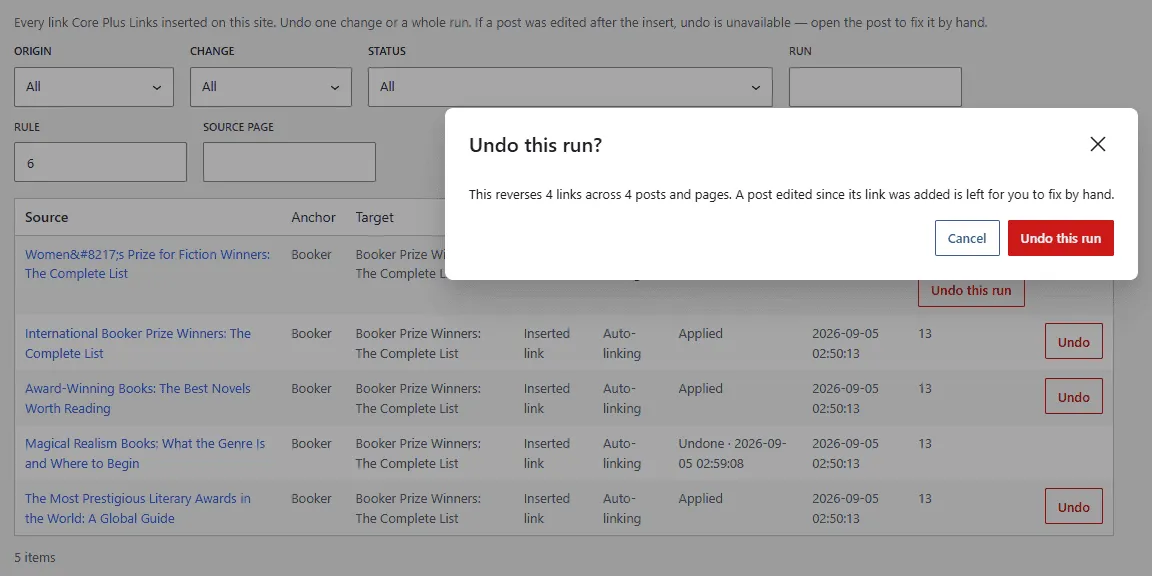
- Undo this run reverses every safely reversible link from that apply batch, as a background job.
- Undo all links from this rule (on the Auto-linking rules table) reverses every safely reversible link that rule inserted. It does not disable or delete the rule.
The confirm states the count before anything is reversed — for example, how many links across how many posts and pages.
When a post was edited since the insert
If the post was edited after the plugin inserted the link, automatic undo is unsafe. The row is flagged Cannot undo — this post was edited after the link was inserted. Open the post and fix the link by hand. The plugin never silently overwrites later edits.
Undone rows show when they were undone. Undo this run is hidden once every row of that run is already undone.
Recent changes on the Auto-linking tab is a short list of the same ledger. The full history, filters, and run-level undo live on Change history.
Related: Auto-linking, Auto-link scope, Troubleshooting, Changelog.