Last updated
Auto-link scope
Auto-link scope is a site-wide guardrail over which source pages bulk apply may edit. It does not change editor suggestions. Open Settings in the Core Plus Links admin and find Auto-link scope.
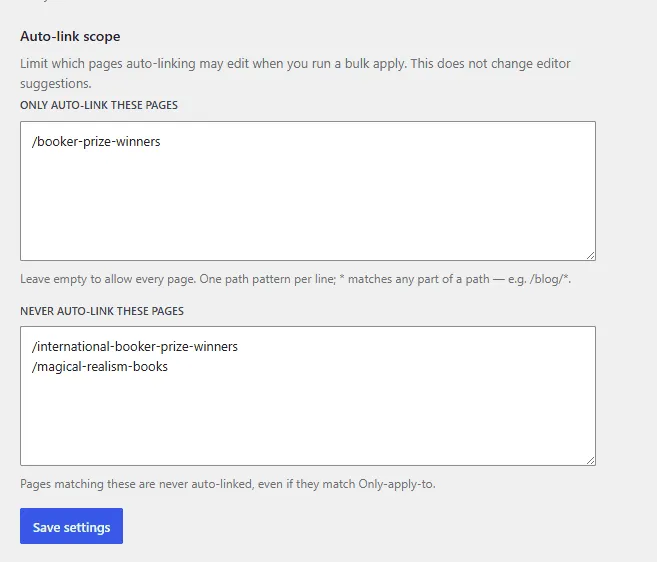
The two lists
- Only auto-link these pages — leave empty to allow every page. When the list has entries, bulk apply may edit only matching paths.
- Never auto-link these pages — matching pages are never auto-linked, even if they also match the only-list. Exclude wins.
One path pattern per line. A pasted full URL is reduced to its path.
Path matching
Patterns match the site-relative permalink path. There is no HTTP lookup and no live crawl.
* matches any part of a path. Example: /blog/* matches /blog/my-post and similar paths under
/blog/.
A malformed pattern is skipped rather than failing the whole list.
How it relates to the context bank
The context bank controls which pages are eligible as link targets and whether they appear in orphan and underlinked reports. Auto-link scope controls which source pages bulk apply may write. Use both: exclude a legal page as a target in the context bank, and keep landing pages out of bulk apply with the never-list.
Related: Auto-linking, Change history, Context bank, Changelog.